Panoramic Canvas Prints
- Product
- Qty in Cart
- Quantity
- Price
- Subtotal
-


40x80 Canvas Print
Custom Canvas Online
MSRP: $4,635.13$695.27At Custom Canvas Online, we bring your favourite photos to life with our premium 40x80 canvas print. Perfect for those who love large, impactful wall art, this impressive size (100x200cm) is ideal...MSRP: $4,635.13$695.27
Your Photo · Wide Formats · Australian Delivery
Find a Canvas That Fits Your Panorama
Shop panoramic canvas prints for landscapes, coastal views, skylines and wide group photos. Compare the proportions and sizes, then choose a canvas to personalise with your own image.
Free Australian delivery on orders over AU$99.
Choose the Proportions Before the Size
In landscape orientation, the ratio describes width compared with height. Both 2:1 and 3:1 options are available in the main Panoramic Canvas product.
2:1 — More Height at the Same Width
A landscape canvas is twice as wide as it is high. For example, 120 cm wide × 60 cm high. Consider this shape when you want to retain more sky, foreground or vertical detail.
3:1 — A Longer, Shallower Shape
A landscape canvas is three times as wide as it is high. For example, 120 cm wide × 40 cm high. Compare this shape for a long horizon, skyline or an image composed as a narrow strip.
The two examples have the same width but different heights. A panoramic photo does not automatically fit every panoramic canvas. Match the shape to the part of the image you want to keep.
Compare Panoramic Canvas Sizes in Centimetres
Compare the listed dimensions, then check which ratio suits your photo and wall.
| Proportions | Size menu labels — short side × long side |
|---|---|
| 2:1 landscape 1:2 portrait | 25 × 50 cm30 × 60 cm40 × 80 cm50 × 100 cm60 × 120 cm70 × 140 cm |
| 3:1 landscape 1:3 portrait | 20 × 60 cm30 × 90 cm40 × 120 cm50 × 150 cm |
On a small screen, swipe across the table to read all columns.
These 10 sizes are options in our configurable Panoramic Canvas product. Other products in this category have their own dimensions and prices. For inch-labelled products, check the stated centimetre size rather than assuming an exact conversion.
Landscape or Portrait: Check the Width and Height
The main product offers both orientations. The size label alone is not the complete width-and-height instruction.
Landscape
For the 40 × 120 cm size option, choose Landscape for a canvas 120 cm wide × 40 cm high. This is a 3:1 format.
Portrait
For the same 40 × 120 cm size option, choose Portrait for a canvas 40 cm wide × 120 cm high. This is a 1:3 format.
Check the selected orientation and preview before ordering. A long vertical composition may suit a tree, waterfall or tall architectural subject; it needs a different composition from a wide horizontal scene.
Check the Complete Fit on Your Wall
Match the canvas proportions to the space as well as to the photograph.
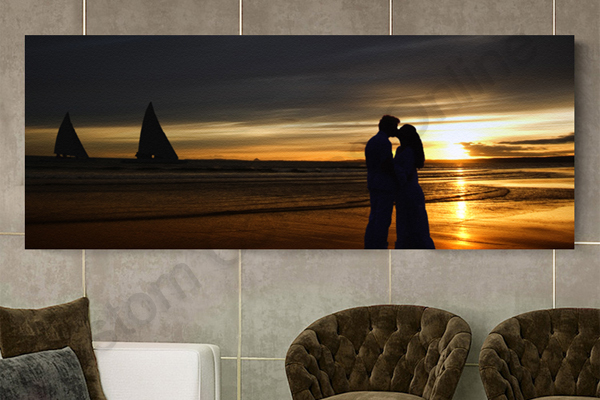
Display illustration only; the canvas is not shown to a specified scale.
Measure More Than the Width
Mark both width and height on the wall with paper or removable tape. A 120 × 40 cm panorama and a 120 × 60 cm canvas fill different amounts of vertical space, even though their widths match.
Allow room around furniture, doors, switches and nearby artwork. If you choose a decorative floating outer frame, confirm the overall framed dimensions when measuring.
Will Your Photo Work as a Panorama?
Start with your original photo, not just its file size or the “panorama” label.
Check the Crop Direction
Filling a 3:1 canvas with a 2:1 photo usually crops the top and bottom. Filling a 2:1 canvas with a 3:1 photo usually crops the left and right ends. Position and zoom determine what stays visible.
Inspect Phone Panoramas
Use the original panorama file. Check the horizon, both ends and any stitching joins for duplicated subjects, uneven transitions or blur. Phone panoramas can have many different ratios.
Protect Important Details
For group photos, keep every face within the front crop and away from folds. Check the full width of landscapes and skylines, including details near the ends.
A larger canvas cannot create detail that is missing from the file. Email your original image for a quality and size check if you are unsure, and include the dimensions you want. For a different ratio or custom size, ask us for advice before ordering.
One Continuous Canvas or a Split-Panel Display?
Choose the presentation you want before preparing the image or measuring the wall.
One Panoramic Canvas
Keep the image on one continuous canvas with no gaps between panels. Browse the panoramic products to choose a size.
A Photo Across Several Panels
A split canvas divides one image over separate canvases, with gaps that affect the finished layout. Browse split canvas prints if that is the display you want.
Want several different photos together on one canvas? Explore collage canvas prints.
Check the Canvas Sides as Well as the Front
The selected product controls its available wrap options. Review the finished design before ordering.
| Canvas Wrap option | Side treatment | What to inspect |
|---|---|---|
| Mirror Wrap | Reflects the outer image edge onto the sides. | Repeated details at the corners and near the ends. |
| Gallery Wrap | Continues the photograph around the sides. | Faces or landmarks close to the fold. |
| Stretch Wrap | Stretches the outer image edge across the sides. | How the colours and textures extend. |
| Color Wrap | Uses a solid colour on the sides. | Whether the side colour suits the image. |
On a small screen, swipe across the table to read all columns.
Wrapping does not solve a photo-ratio mismatch. Check the front composition first, then the sides. A standard stretched canvas has an internal support; choose floating frame canvas prints for a decorative outer frame.
Panoramic Canvas Prints FAQs
Help with proportions, image fit, sizes and ordering.
Find the Right Fit for Your Wide Photo
Choose the canvas proportions, check the crop and start your design. For help before ordering, send us your original image and preferred dimensions.
Email Your Photo for a Quality Check
support@customcanvasonline.com.au