Description
Your Photo · Stretched Canvas · Ready to Hang
Make Your Photo a Square Canvas
Create a square canvas print from a family photo, pet portrait, holiday memory or your own artwork. Your image is printed on canvas and stretched over an internal wooden frame, ready to hang.
Choose your options, then use Upload Photos & Design in the product’s design area.
What You Receive
A personalised square stretched canvas, made with the photo, size and wrap you select.

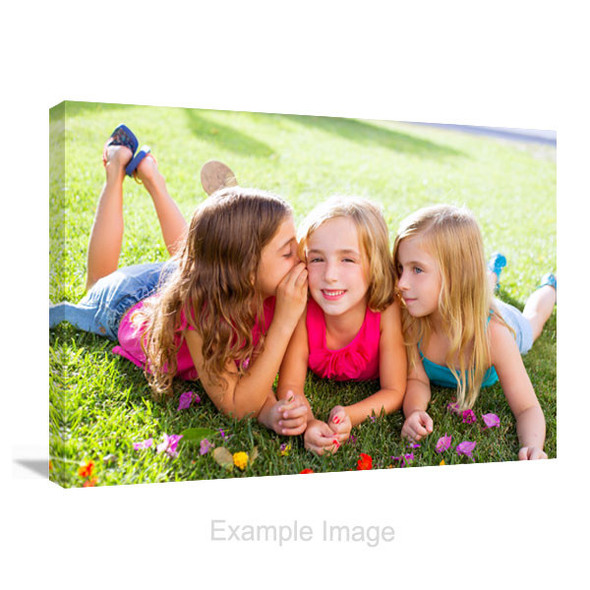
Square stretched canvas example; the printed canvas wraps around an internal support.

Room illustration for display inspiration; the canvas is not shown to a specified scale.
| Product | Your photo or artwork printed on stretched canvas. |
|---|---|
| Construction | Canvas over an internal wooden stretcher frame. |
| Print process | Epson 12-colour pigment ink printing. |
| Shape and sizes | Square, 1:1 format. Eight size options in centimetres. |
| Canvas Wrap | Mirror Wrap / Gallery Wrap / Color Wrap / Stretch Wrap. |
| Image appearance | Use Original Color or an available Color Effect in the product options. |
| Presentation | Ready to hang. A decorative floating outer frame is not included in this product. |
For a visible outer frame around the canvas, choose floating frame canvas prints. Use wall fixings suitable for your wall surface and the weight of the finished canvas.
Choose Your Square Canvas Size
Select one of these eight sizes in the product’s Size menu.
Sizes are shown as width × height in centimetres. For example, 40 × 40 cm is 40 cm wide and 40 cm high. Every size stays square; the size you select changes the print dimensions, not the photo’s aspect ratio.
Measure your wall before selecting a size. If you want to compare different sizes or plan a group of canvases, use our square canvas size and layout guide first.
Check Your Photo in a Square Crop
The square front has a 1:1 ratio. Upload your image and check the composition at your selected size.
Keep the Subject Inside
Leave room around faces, hands, pets and text. Check the square front and each edge rather than relying only on the original thumbnail.
Review Wide or Tall Photos
A wide photo usually loses some content at the sides when it fills a square. A tall photo usually loses content at the top and bottom. Move and zoom the image to check the result.
Use Your Original File
Original camera or phone files usually retain more detail than screenshots or compressed copies. Send us the original file and chosen print size if you would like advice.
The front crop and the edge wrap do different jobs. A larger square or a different wrap does not automatically restore content outside the square front. If the crop is too tight, ask us to check the image before ordering.
Check Everyone You Want on the Front
When a wide photo fills a square, the sides can be cropped; a tall photo can lose content at the top and bottom. Adjust the image position and zoom, then check the whole group. If a square cannot keep everyone, compare a rectangle canvas.
Inspect the square front at your selected size, then examine the edges. Judge the whole composition rather than centring one face and overlooking the people around it.
One Person or a Close-Up
The face need not sit exactly in the centre. Check the headroom, hair and any hands you want included. Keep important features clear of the fold onto the sides.
Couples and Group Photos
Check everyone at both ends and in the back row after each adjustment. If the crop removes someone, send us the original photo and chosen size before ordering.
Pets and Detailed Artwork
Check ears, paws and tails, or the outer details of an illustration. A balanced-looking composition may still lose a feature near a corner; inspect the front and sides.
Choose How the Canvas Sides Look
Compare the four Canvas Wrap options before completing your design.
| Canvas Wrap option | Side treatment | Check in your preview |
|---|---|---|
| Mirror Wrap | Reflects the outer edge of the image onto the sides. | Look for repeated details near the corners. |
| Gallery Wrap | Continues the photo around the canvas sides. | Keep important details clear of the fold. |
| Stretch Wrap | Stretches the outer image edge across the sides. | Check how colours and textures extend around the edge. |
| Color Wrap | Uses a solid colour on the sides. | Choose a side colour that suits your image. |
Review the square front first, then the sides. Mirror Wrap and Stretch Wrap can change the side treatment, but you still need to check that the chosen front crop includes everything important.
Keep the Original Look or Try an Image Effect
Choose the image appearance you want, then review it with your size and wrap.
Original Photo Appearance
Select Original Color to keep the photo’s original colour appearance, then review it in the designer.
A Different Photo Treatment
Try an available effect such as Black & White or Sepia Tone, and check the resulting image before you order.
The product menu calls this Color Effect. Names such as Soft Matte describe an image effect; they do not specify a different canvas surface or coating.
Preview Your Design Before Ordering
The online design area works with this product’s size and style selections.
1. Select Your Options
Choose the canvas size, Color Effect and Canvas Wrap you want.
2. Upload and Position
Click Upload Photos & Design. Add your photo and adjust its position in the square layout.
3. Check and Order
Review the front crop, canvas sides and selected options. Confirm the current price before adding your canvas to the cart.
Use the preview to check the layout and image treatment. Screen brightness and colour can differ from the finished printed canvas.
Square Canvas Product FAQs
Answers to questions about this product’s sizes, photos, finish and ordering.
Ready to Create Your Square Canvas?
Start with your photo, choose the size and wrap, and check the design online. For help with a file, email your photo and preferred size before ordering.
Email Your Photo for a Quality Check
support@customcanvasonline.com.au — include your preferred canvas size.